Flashlight: Magic Torch Light, Fast LED Torch with SOS Mode
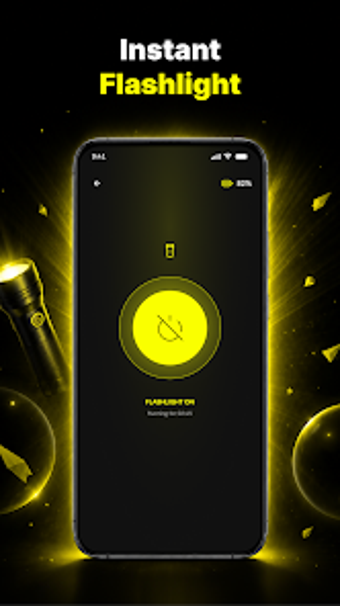
Flashlight: Magic Torch Light from Nozywersyt provides on-demand illumination for Android handhelds, aimed at users who need immediate lighting. The app turns the camera LED into a high-intensity torch while also offering screen-based lighting, strobe blinking, and an SOS emergency signal. Key controls appear in a simple, clear interface with adjustable strobe frequency. It targets everyday users and outdoor participants who want quick access to reliable light with minimal setup.
What lighting options does the app actually provide?
The app controls both the camera LED and the device screen to produce several illumination types. Modes include:
- Single-tap LED torch for high-intensity light
- Strobe/blinking with adjustable frequency
- SOS emergency signal
- Screen light mode for softer, adjustable glow
How light is the app on battery and system resources?
Nozywersyt describes the tool as fast-loading with a battery-efficient design, which targets low drain during short-term use. The app provides a screen-based alternative that avoids continuous LED consumption, helping prolong device runtime during longer sessions. Full LED torch capability depends on a device having a camera LED flash, and startup latency is minimal so activation is near-instant for practical use.
Is it safe to use and what permissions does it require?
The app requires camera permission to control the LED flash, a necessary scope for primary torch operation. An SOS mode addresses emergency signalling, while strobe use carries the usual visibility risks for people sensitive to flashing lights. The developer does not list additional system-level modifications, so the permission footprint is limited to camera access for flash control.
Can non-technical users operate the app reliably?
The interface uses minimal controls and clear labels, which lowers the chance of misoperation in a hurry. Casual users can switch lighting styles without prior configuration, while a frequency slider offers more precise strobe timing for users who want finer control. The lightweight layout supports fast access during unexpected low-light situations or short outdoor tasks, making it practical for everyday carry scenarios.
Practical choice for users who need quick, reliable illumination
The app serves Android users who want a compact, low-effort light utility and who keep their device handy; its main limitation is reliance on the phone's hardware for full capability. A practical tip: place a home-screen shortcut so activation requires a single gesture when light is needed. Test the interface and signal timing in a non-emergency setting so you understand controls before an urgent need arises. Recommended.